Scaling Beyond a Single Store: The Multi-Channel Advantage
Successful e-commerce entrepreneurs rarely stop at a single storefront. Scaling a multi-six-figure or seven-figure online business typically involves operating multiple niche stores, expanding across different geographic regions (e.g., dedicated UK, US, and European storefronts), or running separate wholesale and retail channels.
However, managing multiple stores manually is an operational nightmare. Logging in and out of different dashboards, manually uploading CSV files, re-uploading images, and managing conflicting inventory leads to burnout and costly fulfillment errors. Implementing dedicated multi store ecommerce management infrastructure allows you to control all your stores from a single unified hub.
- Managing multiple Shopify and WooCommerce stores manually wastes hours every day.
- Dedicated multi store ecommerce management connects stores via official OAuth 2.0 and REST API v3 keys.
- 1-Click publishing pushes formatted products, variations, and image galleries to any connected store.
- Customizable pricing markup rules ensure correct profit margins across different regional currencies.
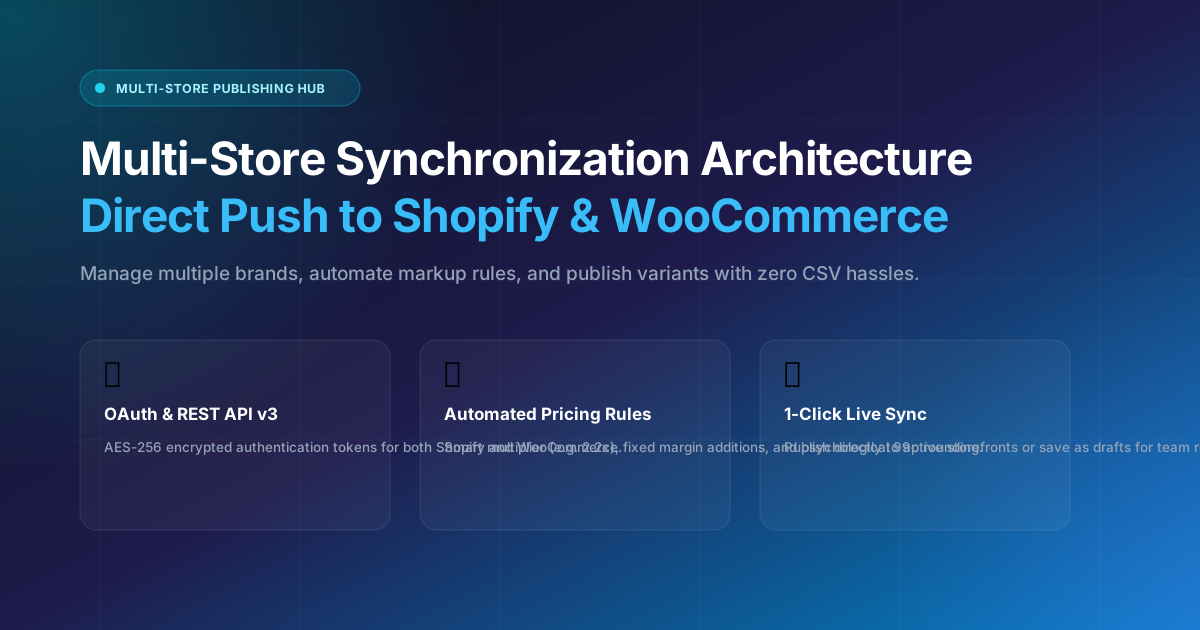
Diagram 7.1: Centralized multi-store integration architecture connecting Shopify OAuth and WooCommerce REST API.
With Legends Multi-Store Hub, you can connect an unlimited number of Shopify and WooCommerce stores and publish products to any of them in seconds.
Connecting Shopify via Modern OAuth 2.0 Protocols
Legacy Shopify tools require merchants to generate fragile private app passwords that are difficult to manage. Legends Importer implements official Shopify OAuth authentication:
- 1-Click Store Authorization: Enter your
myshopify.comdomain and click Connect. You are redirected to Shopify's secure authorization page to approve product publishing permissions. - Scoped Access Permissions: The app only requests permissions necessary for catalog management (
write_products,read_products). - Automatic Token Refresh: Maintains secure, uninterrupted synchronization with Shopify's 2024-10+ GraphQL Admin API.
Connecting WooCommerce via REST API v3 Keys
For WordPress and WooCommerce merchants, Legends Importer integrates directly with the native WooCommerce REST API (v3):
- Generate API Keys: In your WordPress admin, navigate to WooCommerce > Settings > Advanced > REST API and click Add Key.
- Set Permissions: Grant Read/Write permissions and copy the Consumer Key (
ck_...) and Consumer Secret (cs_...). - Connect in Legends Importer: Enter your store URL and keys. Our engine automatically tests connection health, retrieves site branding, and detects store currency.
Architectural Security: Protecting API Secrets with AES-256 Encryption
Storing merchant credentials securely is non-negotiable. If consumer keys or OAuth tokens fall into unauthorized hands, bad actors could manipulate store catalogs or access sensitive customer orders. Legends Importer encrypts all store tokens at rest using AES-256-GCM authenticated encryption.
When syncing catalogs, tokens are decrypted strictly in memory inside ephemeral worker threads. Secrets are never exposed to client-side browsers or logged to plain text monitoring files, ensuring complete enterprise-level data compliance.
Automated Inventory Tracking & Stock Buffer Thresholds
When synchronizing catalog listings across multiple online stores, avoiding out-of-stock orders is critical for customer retention. Setting up automated stock buffers (for example, marking items as 'Out of Stock' when supplier quantities drop below 5 units) protects your store ratings across merchant accounts. Effective multi store ecommerce management allows you to establish safety margin thresholds, ensuring you never accept customer payments for discontinued supplier lines.
Comparison: Managing Stores Manually vs. Legends Multi-Store Hub
| Task | Manual Management | Legends Multi-Store Hub |
|---|---|---|
| Publishing a Product to 3 Stores | 45 - 60 minutes | Under 2 minutes |
| Currency Conversions | Calculated manually in Excel | Automated per-store currency rules |
| Store Authentication | Repeated logins & 2FA codes | Permanent OAuth & REST API keys |
| Catalog Backup | Heavy SQL dumps & plugins | 1-Click CSV catalog exports |
Step-by-Step: Connecting and Publishing to Multiple Stores
- Go to Connected Stores: Open the Stores Management screen.
- Click Add Store: Select either Shopify or WooCommerce and enter your credentials.
- Select Products to Publish: In your products catalog, select any product and choose your target destination store.
- Click Publish: Legends Importer pushes the title, descriptions, HD images, and all variants directly live to your chosen store.
Handling Multi-Currency Tax Rules: UK VAT, US Sales Tax & EU IOSS
Operating storefronts across multiple geographic territories introduces tax compliance complexities. In the United Kingdom, consumer retail prices typically include 20% VAT, whereas United States storefronts display net prices before sales tax is calculated at checkout based on the buyer's state jurisdiction.
Our multi store ecommerce management engine allows you to assign dedicated tax calculation templates for each connected store. When publishing an imported product to your UK WooCommerce shop, the price is automatically formatted as VAT-inclusive; when publishing the same product to a US Shopify store, the net price is maintained cleanly.
Automated Webhook Synchronization vs. Scheduled Polling
Maintaining synchronized product availability across separate storefronts requires robust communication protocols. If an item sells out on your high-volume Shopify store, leaving it active on your secondary WooCommerce boutique can result in unfulfillable orders and customer dissatisfaction.
Legends Importer utilizes bi-directional webhooks alongside intelligent polling intervals. When inventory counts update on supplier channels or primary stores, our multi store ecommerce management hub broadcasts updates across all linked endpoints simultaneously, ensuring continuous catalog consistency.
Frequently Asked Questions (FAQ)
How many stores can I connect simultaneously?
With our multi store ecommerce management hub, you can connect an unlimited number of Shopify and WooCommerce stores across different regional domains.
Are API credentials stored securely?
Yes. All store access tokens and WooCommerce API credentials are encrypted at rest using industry-standard AES-256-GCM encryption.
Can I publish the same product to both Shopify and WooCommerce?
Yes. You can publish any imported product to a Shopify store, a WooCommerce shop, or both simultaneously with custom pricing for each channel.